Table of Contents
Hi hackers. Are there any way to retrieve a stolen phones location using the IMEI number? I Tested a Viral ‘IMEI Phone Tracker’ From GitHub. Imei-tracker can track any mobile device around the world by IMEI. Track the IMEI and find the accurate position of your phone.
Introduction: Track Your Lost Phone
Losing a phone is a modern-day nightmare. In that panic, many cling to the idea that the device’s unique IMEI number is a magic key for tracking it. This belief has spawned countless scripts on platforms like GitHub, all promising this expert-level capability. As a penetration tester, I see these tools constantly. So, I decided to put one of the most popular ones, a repository named “IMEI-tracker,” under the microscope in my Kali Linux environment to expose exactly what it’s doing.
I wanted to see if it lived up to the hype and uncover what’s really happening behind the command-line interface. Here’s the story of what I found.
The Promise: A “Cybersecurity Expert” Tool for IMEI Tracking
The tool I found on GitHub, “IMEI-tracker,” presents itself as a sophisticated piece of software. It’s a Python-based script, explicitly “created for Termux users”—a popular terminal for Android that is often an entry point for beginners. The tool’s description claims it’s used by cybersecurity experts to track lost devices using only an IMEI number.
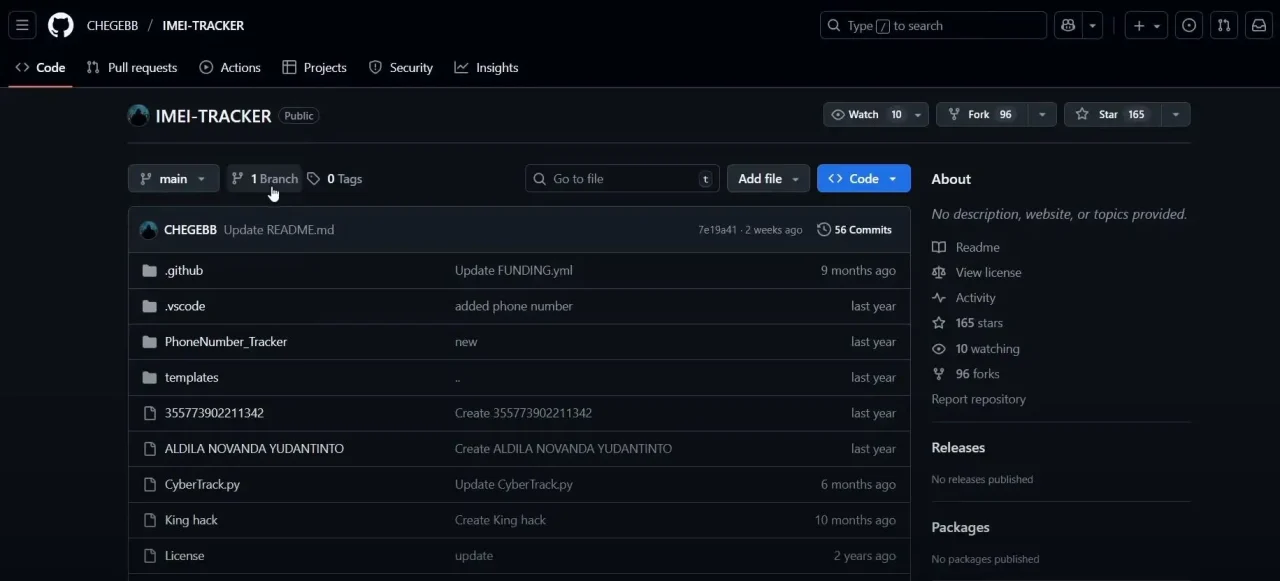
For an aspiring hacker, the setup process feels entirely legitimate. It involves the standard workflow I use for genuine software:


cloning the repository from GitHub into my Kali Linux machine,
creating a dedicated Python virtual environment to avoid system conflicts, and installing a list of required libraries.




To the untrained eye, every step reinforces the illusion that you are about to use a powerful, professional utility.
The Process: It Looks and Feels Like a Real Hacking Tool
Once the setup was complete, I launched the main script with the command python3 track.py.

The interface was simple and direct, presenting a series of prompts designed to build confidence.

First, it asked for the device type, for which I selected “Android.” Next came the critical input: a 15-digit IMEI. Finally, it demanded a Gmail address and its corresponding password.
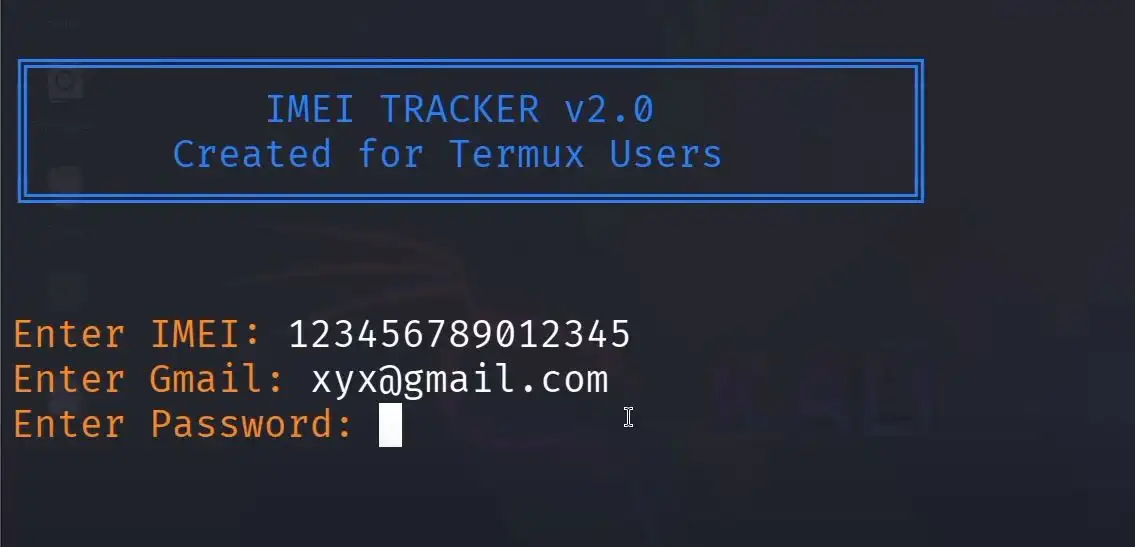
creating the illusion that it was about to tap into powerful, private data streams to perform the track.

At this stage, a user believes they have provided all the necessary credentials for the tool to work its magic. The suspense builds as you hit “Enter” for the last time, expecting the script to begin its “hacking” process.
The Reveal: It Works Perfectly with 100% Fake Information
Here’s the twist: the tool works flawlessly even when you feed it complete nonsense.
To test its authenticity, I intentionally entered entirely fabricated data. I provided a fake 15-digit IMEI number, a non-existent email address ([email protected]), and a completely random password. A real tracking tool would have immediately failed, rejecting the invalid credentials.
Instead, this script processed the bogus information without a single error. After a brief moment, it displayed a success message: “Location Found.” It then automatically opened a new tab in my web browser, claiming to have located the device.
The Trick Unmasked: It’s Just a Shortcut to Google’s “Find My Device”
The deception at the heart of this tool is remarkably simple. A quick look at the source code reveals that the script does not use the IMEI, email, or password for anything at all. It completely ignores your input.
Its sole function is to execute a single, pre-written command: open a hardcoded URL in your web browser. That URL is nothing more than a link to the “Google find hub,” the official name for Google’s “Find My Device” service.
Any “tracking” that appears to happen is simply the standard Google service attempting to locate devices logged into whatever Google account you are currently signed into on your browser. It has absolutely nothing to do with the tool itself, the fake IMEI you entered, or the bogus credentials you provided. The script is a useless middleman designed to look impressive while doing nothing.
The Real Lesson: The Danger of Blindly Trusting “Hacking” Tools
Let’s be clear: this isn’t a harmless prank. It’s a predatory trap for enthusiastic beginners—often those doing things for “chaske” (thrills)—who are eager to learn about cybersecurity but lack the skills to vet the tools they find. It encourages the worst possible habit in this field: running code you don’t understand.
This practice can lead to serious security risks, where a seemingly helpful script could contain malicious code. The core lesson here is about critical thinking and verification.
“In reality, as long as you don’t understand the tools you are using, the chances of you yourself getting hacked are quite high. People clone these tools without reading or understanding them.”
True cybersecurity skill isn’t about finding a magical, push-button solution. It’s about building a fundamental understanding of how systems work, which allows you to see through deceptions like this one.
Conclusion: Think Before You git clone
In the end, this viral IMEI tracker was exposed for what it is: completely and utterly useless. It doesn’t track anything and serves only as a deceptive shortcut to a service you can easily access yourself. True skill in this field doesn’t come from a script. It comes from understanding the fundamentals. Stop searching for magic buttons.
The most potent tool in your cybersecurity arsenal isn’t a mysterious script from the internet; it’s critical thinking. The next time you find a tool that promises an incredible result, what’s the first thing you’ll do to verify its claims before you run it?